AI Document Processing: Fast Reading, PDF Translation, Meeting Notes & Data Extraction
Overwhelmed by Documents Every Day? Here's What to Do
Long reports, foreign-language PDFs, transcripts from meeting recordings, research documents with data scattered throughout... Modern people are "bombarded" with all kinds of files every day. You open one to find dozens of pages, get drowsy halfway through, and end up missing the key information.
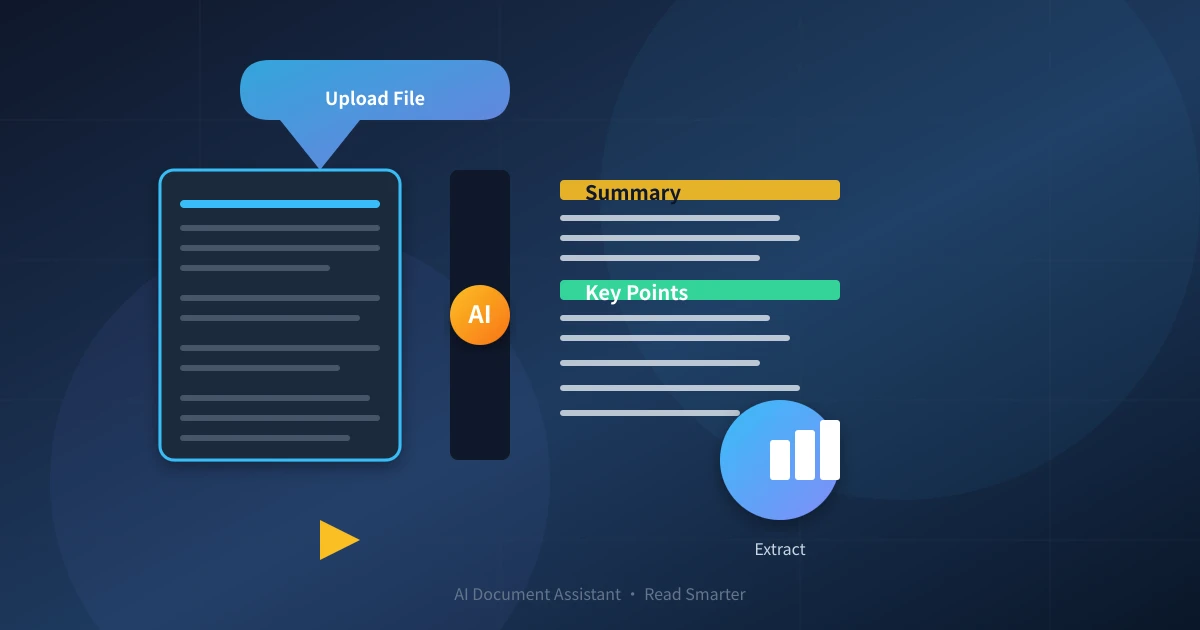
The good news is that AI can now help you "read through" these documents. No technical expertise needed, no new software to install. Just an AI tool + a clear question, and in minutes you can turn a thick file into a clear summary, translation, meeting minutes, or data table.
This tutorial is aimed at complete beginners, using 4 most common scenarios to guide you from uploading a document to getting results.
Preparation: What You Need
- A document: PDF, Word, TXT, web page text – all work
- An AI tool: ChatGPT, Ernie Bot, Doubao, Tongyi Qianwen, Claude, and other mainstream large models are all fine
- A sentence describing your need: "Summarize the key points for me," "Translate into Chinese," "Organize into meeting minutes"...
Note: No special account registration required; you can also do this on your phone. AI can directly understand the content of PDF and Word files (AI tools that support file uploads), and you can also copy and paste text directly.
Three-Step Universal Process
No matter what you want to do, the basic process for AI to handle documents is these three steps:

Step 1: Upload the Document
Most AI tools support three ways to input documents:
- Direct file upload: Drag a PDF or Word file into the AI dialog; the AI will read it automatically
- Copy and paste text: Open the document, select the content, and paste it into the AI dialog
- Enter a URL: Some AI tools can directly open a web link and analyze the content
When uploading, please note: If the document contains company secrets or personal privacy information, desensitize it first before sending. AI is not a personal safe.
Step 2: Tell the AI What You Want in Natural Language
This step is the most critical. The clearer your words, the more accurate the AI's results.
A good question usually includes three elements:
- What is the input: "This is a market research report"
- What you want: "Please summarize the 3 most important findings in the report"
- Output format: "Please use a bullet list, each point no more than two sentences"
Step 3: Get the Results and Follow Up
After the AI returns results, if you find them unsatisfactory, you can directly follow up:
- "Please elaborate on point 2"
- "The translation is too colloquial; please make it more formal"
- "The meeting minutes missed the opinion raised by Director Zhang; please add it"
Following up is the core of AI collaboration; each follow-up brings the result closer to your needs.
4 High-Frequency Practical Scenarios

Scenario 1: Speed Reading and Summarizing Long Texts
Faced with dozens of pages of industry reports, policy documents, academic papers – there's simply not enough time to read them all. AI can help you quickly extract the core content.
Example Operation
After uploading the document, tell the AI:
"This is an industry research report. Please summarize the 3 most important core findings in the report, and explain the impact of each finding on ordinary users in plain language. Keep each finding within two sentences."
The AI will return something like this:
- "The market is shifting from A to B. If you are still using Type A products, you may need to switch to B within the next 12 months."
- "What users care about most is not price, but delivery speed. This means that when choosing a supplier, delivery lead time is more important than the quotation."
- "Top companies in the industry are consolidating. It is expected that there will be 3-5 major mergers and acquisitions in the coming year; keep an eye on related company developments."
Scenario 2: PDF and Foreign Language Translation
Foreign-language PDFs, academic papers, overseas reports, contract documents – you can't understand the original text, and machine translation is garbled. AI can handle both translation and format organization at the same time.
Example Operation
Upload the foreign-language document and tell the AI:
"Please translate this document into Chinese. Requirements: Preserve the original heading hierarchy; for technical terms, attach the original English term in parentheses on first occurrence; long sentences can be split into shorter sentences for readability."
If you also need a side-by-side comparison, you can add:
"Please output in a bilingual parallel format, with the original English on the left and the Chinese translation on the right."
Translation Tips
- Tell the AI the purpose of the document (academic/business/study), and the AI will adjust the translation style accordingly
- If you have a glossary, provide it as well; the AI will translate according to the glossary
- For very long documents, it is recommended to translate in segments and then combine, to avoid the AI missing details
Scenario 3: Organizing Meeting Minutes
After converting meeting recordings to text, you usually get a mess of "rambling" – lots of filler, repetition, and no structure. AI can turn this text into a clear set of meeting minutes.
Example Operation
Paste the speech-to-text result to the AI, then say:
"Please organize this meeting record into formal meeting minutes. Requirements: Extract 3 resolutions from this meeting, 5 action items (each with the responsible person and deadline), and the background and objectives of the meeting. Format clearly, with each item described in one sentence."
The AI will automatically filter out filler words like "um," "so," "what do you think," etc., and only keep valuable information.
Advanced Usage
If the meeting record is very long, you can first have the AI process it in sections, then integrate them:
"Please divide the above content into chapters by discussion topic, and for each chapter, provide the conclusion and follow-up actions for that topic."
Scenario 4: Extracting Data Tables from Documents
Many PDF reports contain data tables, statistics, and comparison lists, but the format is messy and hard to copy. AI can "dig out" this data and organize it into usable tables.
Example Operation
Upload the document and tell the AI:
"Please extract all data tables from this report, including table titles and header information, and output in CSV format for easy import into Excel. If a table spans multiple pages in the original, please merge it into one table."
If your needs are more specific, you can add:
"Please only extract data containing sales figures, user numbers, and market share; other types of tables are not needed."
Practical Tips
What if the document is too long?
Most AI tools have a context length limit. If the document exceeds the limit, there are two methods:
- Process in segments: First have the AI summarize the first 20 pages, then send the summary to the AI for a final summary
- Explicitly tell the AI to focus on specific parts: "Please only analyze chapters 3-6 of the document, ignore the rest"
What if the AI's summary is wrong?
Directly tell it where it's wrong. For example: "The data in the second conclusion doesn't match the original; the original says XX, please correct it." The AI will re-read the document and make corrections.
How to handle privacy?
If the document involves sensitive information, it is recommended:
- First delete sensitive fields (names, phone numbers, ID numbers, detailed amounts)
- Replace sensitive content with "XXX" and let the AI work on the desensitized document
- Do not use free, public AI services to process sensitive documents
Summary
The core of AI document processing comes down to three sentences:
- Show the document to the AI – upload or paste
- Clearly state what you want – summary, translation, minutes, extraction – pick one
- Follow up until satisfied – if it's not right the first time, ask again
Next time you encounter a thick document, don't force yourself to read it from start to finish. First send it to the AI, let it "preview" for you, and save your time for the parts that truly need your judgment.
When it comes to document processing, AI is already 10 times faster than you. You just need to learn how to talk to it.
Related Articles
AI 帮你写简历:从零到专业,五步搞定求职利器
不管你是应届生还是职场转行,AI 都能帮你把简历从"凑合能用"变成"眼前一亮"。本文用五个步骤,手把手教你用 AI 生成、修改、优化出一份真正能拿面试的专业简历。
AI 语音转文字:零基础实操指南,三步把说话变成文字
还在打字到手指发酸?还在为会议记录发愁?AI 语音转文字技术已经非常成熟,学会使用它,可以帮你把说话直接变成文字,效率提升数倍。本文将手把手教你选择工具、完成转写、导出使用,让 AI 成为你的打字替身。
Tech FrontierAI 提问技巧入门:让 AI 回答更准确的 7 个实用方法
明明 AI 功能强大,但每次提问得到的回答都差强人意?其实问题往往不在 AI,而在于你提问的方式。本文用最直观的方式教你 7 个让 AI 回答更准确的实用技巧,包括四要素公式、精准提问、背景信息、拆分任务、追问迭代、万能模板和常见错误,小白也能立即上手。
Comments are not yet available, stay tuned