AI Smart Home Assistant Guide: Voice Control, Device Linking & Automation Made Easy
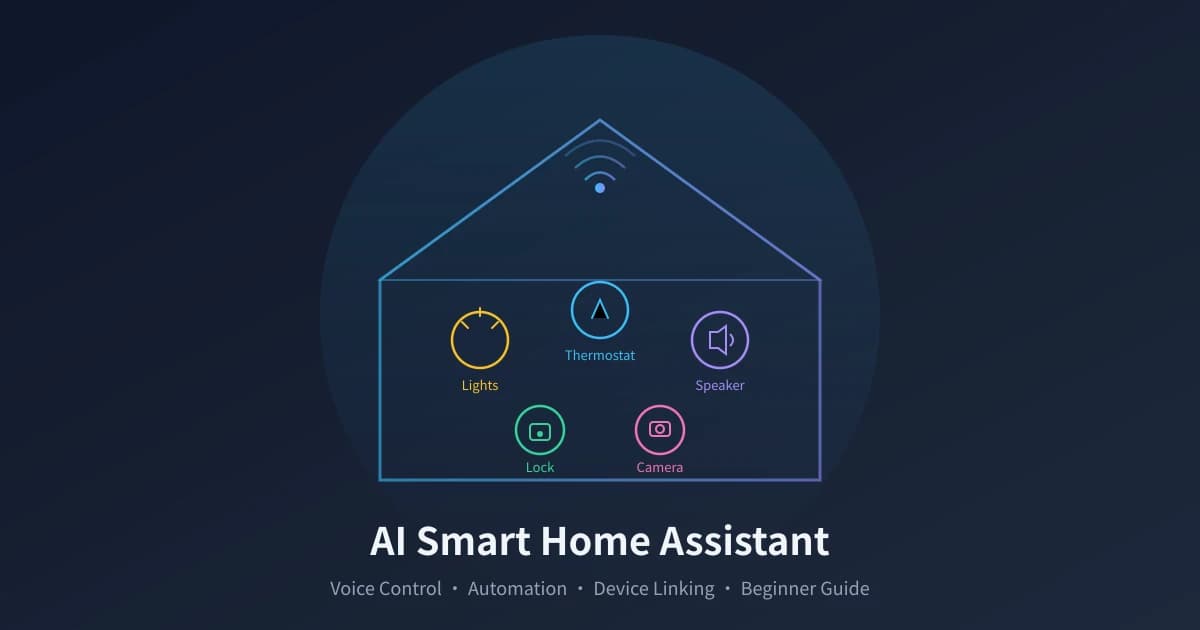
Before you even get home from work, the AC is already at the right temperature. Say "good night" and all lights turn off, doors lock, and curtains close — this is achievable with AI and smart home devices. This guide walks you through building a voice-controlled smart home system from scratch.
What Is AI Smart Home
Traditional smart homes work like "you tap, it responds" — manually controlling lights, AC, and curtains via phone apps. The core upgrades AI brings are threefold:
- Voice Interaction: No need to pull out your phone, just speak to control devices
- Intent Understanding: No need to memorize exact commands, say "it is a bit cold" and AI automatically raises the AC temperature
- Automation Linking: Devices work together — when you leave, lights off, AC off, door locks, cameras activate
Simply put, AI upgrades smart homes from a "remote control" to a "butler."
What Devices You Need
Building a smart home does not require everything at once — start with a few core devices and expand gradually.
Tier 1: Must-Have (Starter Three-Piece Set)
| Device | Budget | Core Feature |
|---|---|---|
| Smart Speaker | $30-70 | Voice control hub |
| Smart Bulbs | $5-12 each | Brightness/color temp/color |
| Smart Plugs | $5-10 each | Timer, energy monitoring |
Beginner Tip: Start with about $50 for the Tier 1 three-piece set to try it out. If you like it, expand gradually.
Four Steps to Set Up
Step 1: Choose an Ecosystem
Smart home devices need a unified central platform. Major platforms:
- Amazon Alexa: Largest device ecosystem globally, excellent voice assistant
- Google Home: Strong AI capabilities, great for Google ecosystem
- Apple HomeKit: Top security, best iPhone experience
- Home Assistant: Open source, supports nearly all brands
Step 2: Install Devices and Connect
- Download the corresponding app
- Register an account and log in
- Power on the device, enter pairing mode
- Tap Add Device in the app and connect to Wi-Fi
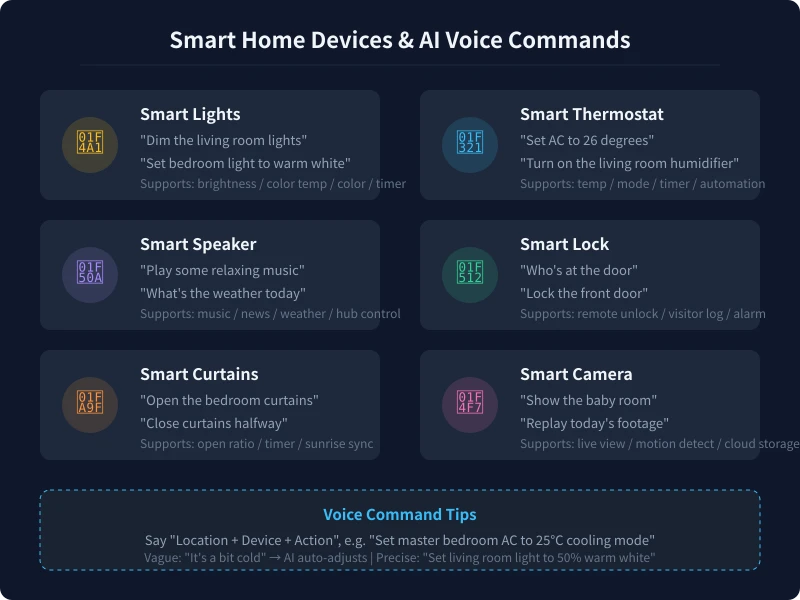
- Name each device using location + device format
Step 3: Set Up Voice Control
Enable the corresponding skill in your voice assistant app, link your smart home account, and test with voice commands.
Step 4: Create Automation Scenes
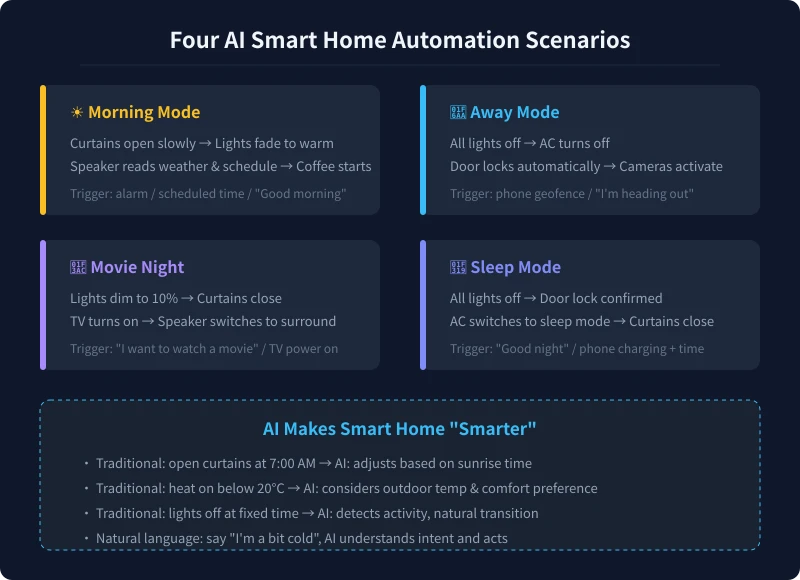
- Home Mode: Door unlocks → lights on → AC starts → curtains open
- Away Mode: Say I am leaving → all lights off → AC off → door locks
- Morning Mode: Alarm → curtains open → warm light → speaker reads weather
- Sleep Mode: Say good night → all lights off → AC sleep mode
5 Ways AI Makes Your Smart Home Smarter
Natural Language Control
- "It is a bit cold" → AI raises AC by 2 degrees
- "Too bright" → AI dims lights by 20%
- "I am going to sleep" → AI triggers sleep mode
Smart Energy Saving
- Detects room empty 30 min → auto off lights and AC
- Adjusts AC based on outdoor temperature
- Adjusts curtains based on sunlight intensity
Security Intelligence
- Camera AI detects stranger → push alert + auto record
- Smoke/gas anomaly → shut gas valve + open windows
- Door lock wrong passwords → auto lock + notification
Elderly/Child Care
- Elderly at night → motion sensor → soft night light
- Baby room camera detects crying → notification to parents
Multi-Device Coordination
- Alarm → curtains → lights → speaker → coffee maker
- Vacuum done → auto charge → push report
Practical Tips
- Most devices use 2.4GHz Wi-Fi — ensure your router has it enabled
- Choose reputable brands for security devices
- Keep firmware updated regularly
- Name devices conversationally for easy voice control
- Start small and expand gradually
Conclusion
AI smart homes are becoming everyday lifestyle. The core is four steps: Choose platform → Install devices → Set up voice → Build scenes. Spend $50 on a speaker and two bulbs to experience voice control convenience. Once comfortable, expand to curtains, AC, and door locks. Smart homes are not the future — they are the present.
Related Articles
AI Speech to Text: Beginner's Guide to Convert Voice to Text in 3 Steps
Learn how to convert speech to text using AI tools. Perfect for meeting notes, content creation, and video subtitles. Three practical scenarios with step-by-step instructions.
TutorialsAI Local Deployment Guide: Run Large Models in 3 Steps for Free
Learn how to deploy AI models locally in just 3 steps. No coding experience needed, completely free, and your data stays private on your own computer.
TutorialsAI Shopping Decision Guide: From Price Comparison to Avoiding Pitfalls
Learn how to use AI for shopping decisions. From price comparison to avoiding pitfalls - make smarter purchasing choices with AI assistance.
Comments are not yet available, stay tuned