AI Meeting Minutes: From Recording to Complete Notes in Three Steps
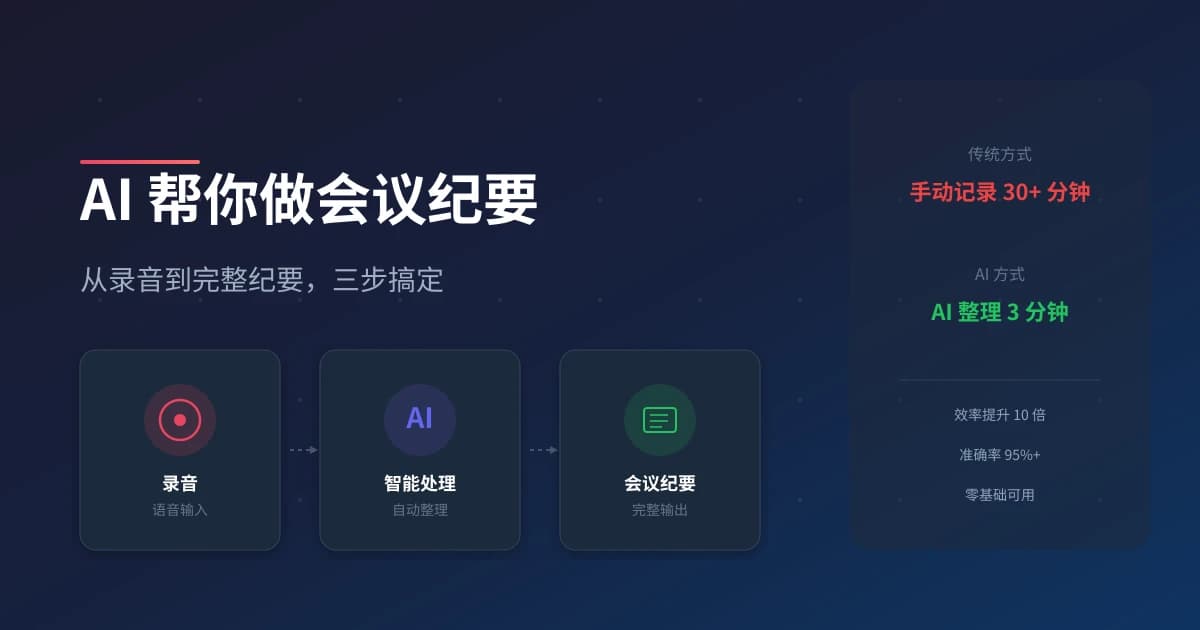
Meeting notes are tedious but essential. AI can automate this process, giving you complete, accurate meeting minutes in minutes instead of hours. Here's how to use AI for meeting documentation.
Why Use AI for Meeting Minutes?
- 100% Accuracy - No missed points or misheard details
- Instant Summary - Get key points immediately after the meeting
- Action Items - Automatically extract tasks and assignments
- Searchable Archive - Find any past meeting detail in seconds
Step 1: Choose Your AI Meeting Tool
| Tool | Platform | Features | Price |
|---|---|---|---|
| Feishu Minutes | Desktop/Mobile | Real-time transcription, summary | Free |
| Otter.ai | Web/Mobile | AI summary, speaker ID | Free-$20/mo |
| Fireflies.ai | Web | Multi-platform, analytics | Free-$19/mo |
| Tencent Meeting | Desktop/Mobile | Built-in transcription | Free |
| Zoom AI | Web/Desktop | Smart summary, action items | Free with Zoom |
Step 2: Set Up and Record
Before the Meeting
- Install and configure your AI meeting tool
- Grant microphone and screen recording permissions
- Add the AI bot to your calendar invite
- Test with a short recording first
During the Meeting
- Start recording at the beginning
- Ensure good audio quality
- Let AI record everything - don't interrupt
- End recording when the meeting concludes
After the Meeting
- Wait for AI to process the recording (usually 1-5 minutes)
- Review the transcript for accuracy
- Check the AI-generated summary
- Extract and assign action items
Step 3: Extract and Share
What AI Gives You
| Output | Description | Use Case |
|---|---|---|
| Full Transcript | Complete word-for-word record | Reference, compliance |
| AI Summary | Key points in bullet form | Quick review, sharing |
| Action Items | Tasks with assignments | Follow-up, accountability |
| Decisions | Important decisions made | Documentation, alignment |
Sharing Best Practices
- Send within 24 hours - While details are fresh
- Highlight action items - Make tasks clear and visible
- Include links - Add relevant documents and resources
- Tag attendees - Ensure everyone sees their responsibilities
AI Prompt for Better Summaries
If you need to refine AI summaries, use this prompt:
Summarize this meeting transcript:
1. List all decisions made
2. Extract action items with assignees
3. Identify key discussion points
4. Note any open questions or concerns
5. Keep it concise - bullet points only
Common Issues and Solutions
| Issue | Solution |
|---|---|
| Poor audio quality | Use external microphone, reduce background noise |
| Multiple speakers confused | Use speaker identification features |
| Technical jargon missed | Add custom vocabulary to AI tool |
| Summary too long | Ask AI to condense to 5 key points |
Tips for Success
- Inform attendees - Let everyone know recording is happening
- Review before sharing - AI isn't perfect, check for errors
- Use consistently - Build a searchable meeting archive
- Integrate with tools - Connect to Slack, Teams, or email
AI meeting minutes save hours of manual note-taking and ensure nothing important is missed. Start using one today and experience the difference!
Related Articles
AI Resume Writing: From Zero to Professional in 5 Steps
Learn how to use AI to write a professional resume. Five simple steps from basic information to polished final draft. Perfect for job seekers who want to stand out.
Productivity ToolsAI Note Organization: Build a Personal Knowledge System in 5 Steps
Learn how to use AI for note organization. Build a personal knowledge system in 5 steps. Perfect for knowledge workers and students.
Productivity ToolsAI Side Hustle Planning: Find Your Second Income Source
Want to earn extra income through a side hustle but don't know where to start? AI can help you analyze your skills, match directions, make plans, and track progress. Find your ideal side hustle within a month, even with zero experience.
Comments are not yet available, stay tuned