The Art of Asking AI: 5 Tips to Double the Quality of Your AI Answers
Many people encounter a problem when using AI: why does the same tool work so well for others, but your own answers are always just mediocre? The answer is simple—different ways of asking questions. This article uses 5 practical tips to teach you how to write prompts that get high-quality responses from AI.
Why Asking Matters So Much
AI models are like knowledgeable assistants that need guidance. The clearer and more specific the information you give them, the more precise the answers you get. For example:
- Vague question = Going to the doctor and saying "I feel unwell" — the doctor has to guess
- Precise question = Telling the doctor "I've had a dull pain in my lower right abdomen since yesterday, worse when pressing" — the doctor can quickly diagnose
The same goes for AI. The following 5 tips will help you write high-quality prompts in any scenario.
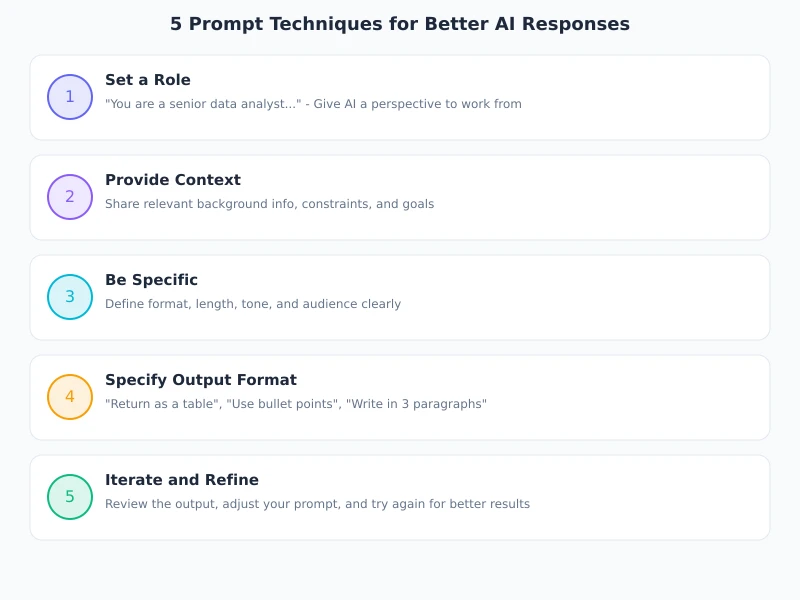
Tip 1: Give AI a Role
Before asking a question, tell AI what role it should play. This step may seem simple, but it can significantly improve the professionalism and relevance of the response.
How to Do It
At the start of the conversation, use one sentence to define the role, experience level, and area of expertise:
Example Prompt
You are a Python backend engineer with 10 years of experience, specializing in high-concurrency system design and database performance optimization. Please answer in concise technical language.
Why It Works
- AI automatically matches the knowledge depth and expression style of that role
- Avoids answers that are too shallow or too technical
- You can switch roles anytime to get advice from different perspectives
Common Role Templates
| Scenario | Role Setting |
|---|---|
| Learning programming | You are a patient programming tutor. Explain concepts in plain language, covering only one point at a time. |
| Writing copy | You are a senior copywriter skilled at using concise and powerful language to engage target users. |
| Translation & polishing | You are a bilingual expert in Chinese and English. Keep the original tone in translations and use natural, idiomatic expressions. |
| Data analysis | You are a data analyst skilled at spotting trends and anomalies in data, using charts to support explanations. |
Tip 2: Provide Enough Context
AI cannot see what you are working on or access your project files. So you need to proactively tell it the relevant background information.
Context Checklist
Before asking, check if you have provided the following information:
- Tech stack: What language, framework, database are you using
- Business scenario: What feature are you building, who is your target user
- Current status: What problem are you facing, what have you already tried
- Constraints: Any limitations, preferences, or requirements
Comparison Example
Vague Question
"How can I optimize my website?"
Precise Question
"I built an e-commerce site with Next.js + PostgreSQL. The product list page takes 3 seconds to load, with 10k users. How can I optimize it to under 500ms?"
Tip 3: Clearly State What You Want
Many people ask "Help me do X" without specifying details. AI has to guess, and the results are naturally unsatisfying.
Formula for Clear Requirements
Formula: Please [action] + [object] + [specific requirements] + [output format]
Common Action Words
| Action | Use Case | Example |
|---|---|---|
| Explain | Understanding concepts | "Explain what a RESTful API is in plain language." |
| Compare | Making choices | "Compare the pros and cons of React and Vue, presented in a table." |
| Write | Generating content | "Write a leave request email, formal tone, under 200 words." |
| Modify | Optimizing content | "Modify the following code by adding error handling and logging." |
| Summarize | Extracting key points | "Summarize the 3 core points of this article." |
Tip 4: Specify the Output Format
The same question, presented in different formats, can have vastly different information density. Telling AI the format you want in advance saves a lot of time reorganizing later.
Common Format Instructions
- Table: When comparing data—"Compare using a Markdown table"
- List: When listing points—"Use a numbered list, each point no more than 20 words"
- Code: When needing executable content—"Provide complete runnable code with comments"
- Step-by-step: When needing a guide—"Explain step by step, one action per step"
- JSON: When needing structured data—"Output in JSON format"
Advanced: Limit Length
If you have an expectation for answer length, say it directly:
"Summarize in 3-5 sentences." / "Keep the answer under 300 words." / "Each step no more than 3 lines."
Tip 5: Iterate and Refine—Don't Be Afraid to Follow Up
No one can write a perfect prompt in one go. The real power of AI conversations lies in iteration—continuously adjusting and deepening based on responses.
Follow-up Techniques
- Narrow the scope: "Plan B is good, but could you focus only on the performance optimization part?"
- Dive into details: "How exactly is this caching strategy implemented? Give an example with Redis."
- Change perspective: "Re-evaluate this plan from a security standpoint."
- Simplify expression: "Too complex, explain it again in simpler language."
- Add constraints: "One more limitation: cannot use third-party libraries."
Rhythm of Multi-turn Conversations
Best rhythm: First round to get an overall plan → Second round to dive into a specific direction → Third round to polish details and edge cases. Usually 2-4 rounds of conversation yield satisfactory results.
5 Common Mistakes Beginners Make
| Mistake | Issue | Fix |
|---|---|---|
| One-sentence question | Too little information, AI can only give vague answers | Add background, scenario, and specific requirements |
| Asking too many things at once | AI's answer tends to be incomplete or confusing | Break into multiple independent questions |
| Following up without reading the answer | Wastes conversation turns | Understand the answer first, then ask targeted follow-ups |
| Not giving examples | AI may misunderstand the format you want | Attach an example of the expected output |
| Giving up on iteration | Switch topics after the first unsatisfactory answer | Follow up 2-3 times, gradually refine |
Practical Examples: Complete Prompts for 3 Scenarios
Scenario 1: Let AI Help You Write a Weekly Report
You are a professional workplace writing assistant.

Please help me write a weekly work report based on the following information:
- Completed development and testing of the user login module this week
- Fixed 3 production bugs (payment timeout, image upload failure, search result sorting error)
- Attended 2 requirements review meetings

Requirements:
1. Language concise and professional, each task in 1-2 sentences
2. Divide into two sections: "Completed This Week" and "Next Week's Plan"
3. Leave the "Next Week's Plan" section blank for me to fill in
4. Keep total word count under 300 words
Scenario 2: Let AI Help You Debug Code
You are a frontend debugging expert.

The following React component causes a white screen after clicking a button, with no console errors.
(Paste code)

Please:
1. Analyze possible causes, ranked from most to least likely
2. For each cause, give specific troubleshooting steps
3. If you can identify the problem, directly provide the fixed code
Scenario 3: Let AI Help You Learn New Knowledge
You are a technical mentor skilled at teaching with analogies.

I am a frontend beginner with HTML/CSS basics but no experience with JavaScript.
Please explain the concept of "asynchronous programming" using everyday analogies.

Requirements:
1. Start with a daily-life analogy (e.g., ordering food delivery)
2. Then provide a very simple code example
3. Finally list 3 common pitfalls for beginners
4. Use plain language throughout, no jargon
Summary
Mastering AI prompting doesn't require any programming background—just a change in your questioning habits. Let's review the 5 core tips:
- Give a role: Tell AI who it is to match expertise
- Give context: Provide tech stack, scenario, constraints
- Be clear: State exactly what you want using a formula
- Set format: Table, list, code—say it in advance
- Iterate: Follow up based on answers, gradually refine
Practice tip: Starting today, spend 10 seconds thinking about these 5 points before each query. Stick with it for a week, and you'll see a dramatic improvement in AI response quality.
Register for a Ciyuan Circle account and practice these techniques with models like DeepSeek, Qwen, and MiMo.
Related Articles
AI Speech to Text: Beginner's Guide to Convert Voice to Text in 3 Steps
Learn how to convert speech to text using AI tools. Perfect for meeting notes, content creation, and video subtitles. Three practical scenarios with step-by-step instructions.
TutorialsAI Local Deployment Guide: Run Large Models in 3 Steps for Free
Learn how to deploy AI models locally in just 3 steps. No coding experience needed, completely free, and your data stays private on your own computer.
TutorialsAI Shopping Decision Guide: From Price Comparison to Avoiding Pitfalls
Learn how to use AI for shopping decisions. From price comparison to avoiding pitfalls - make smarter purchasing choices with AI assistance.
Comments are not yet available, stay tuned