AI Smart Note-Taking Guide: Turn Scattered Knowledge into a System in Four Steps
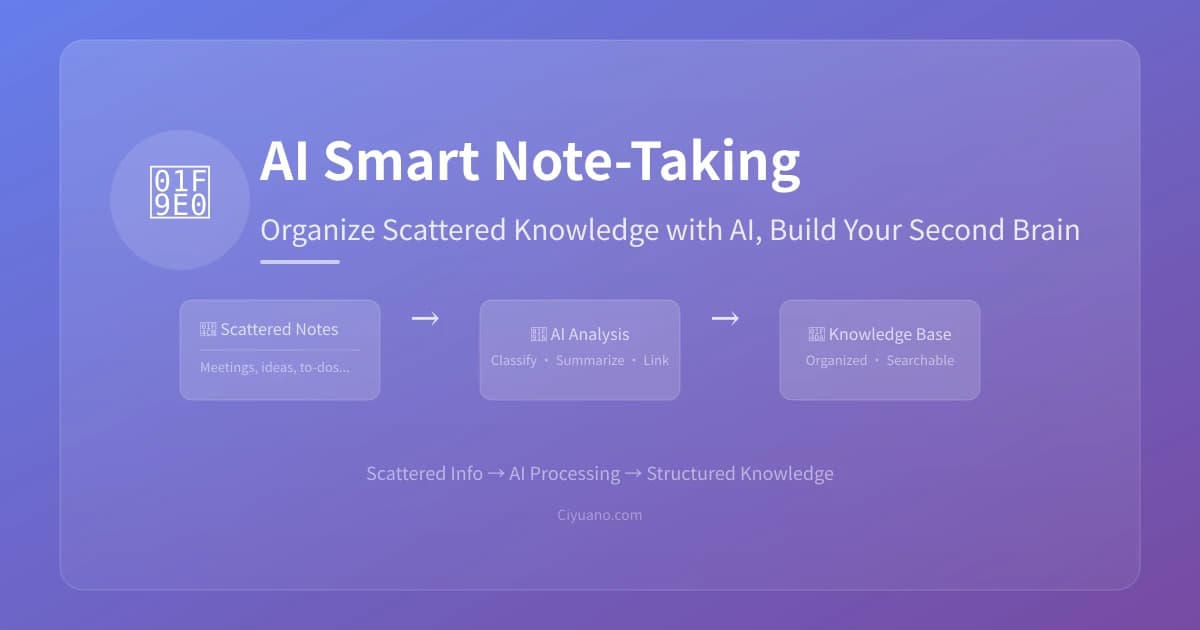
How many articles have you bookmarked but never read again? How many ideas sit in your phone's notes app, unorganized? Most people don't have a "memory" problem — they have a "can't find it" problem. AI can help you turn scattered notes into an organized knowledge system, and you don't need to learn any complex tools.
Why Are Your Notes Always a Mess?
Before diving into methods, let's understand the root causes of messy notes:
- Too many information sources: WeChat favorites, browser bookmarks, memo apps, screenshots, voice memos — scattered across at least 5 places
- Save but never organize: You think "I'll read it later" when bookmarking, but "later" never comes
- No structure: Even when organized, notes are sorted by time, not by topic, project, or relevance
- Give up when you can't find it: When you need something, you can't search for it, so you just re-search online — making all previous notes pointless
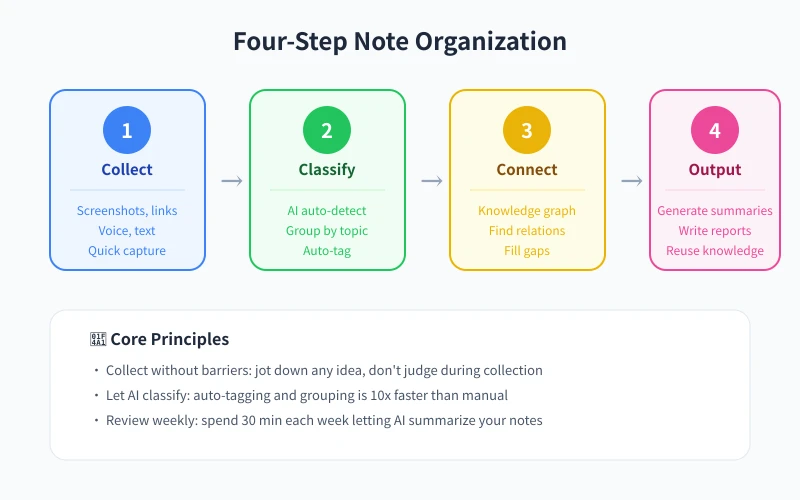
Step 1: Unified Collection — Put Everything in One Place
The first step to organizing notes isn't sorting — it's getting everything into one place. Here are recommended approaches:
Method 1: Send directly to AI
Open ChatGPT or your preferred AI chatbot and dump your thoughts, screenshots, and article links. No need to organize — just say "remember these for me." AI will automatically extract key information.
Method 2: Create an "Inbox" in Notion
Create a page called "📥 Inbox" in Notion and dump all notes there first. Process them daily or weekly. Notion supports web clipping, WeChat forwarding, voice input, and many other collection methods.
Method 3: WeChat Favorites + Regular Export
If you're used to bookmarking articles in WeChat, export your favorites to an AI tool weekly. Say "please categorize and organize the following content" and paste a week's worth of bookmarks.
Step 2: AI Classification — Let AI Tag and Categorize
After collecting, the next step is letting AI classify for you. This is where the biggest efficiency gains happen.
How to Do It
Paste your notes into an AI tool and use this prompt:
"Please categorize the following notes. Requirements:
1. Group into 3-5 categories by topic
2. Label each note with its category
3. Add 2-3 tags to each note
4. Highlight connections between items"
Classification Dimensions
- By topic: Work, Study, Life, Interests
- By project: Group by current active projects
- By purpose: To-do, Reference, Ideas, Learning notes
- By time: This week's focus, Monthly goals, Long-term accumulation
Step 3: Build Connections — Make Knowledge Interconnect
Classification is just the foundation; the real value lies in connections between knowledge. AI excels at finding links you might miss.
Let AI Discover Connections
After classification, continue with this prompt:
"Please analyze connections between these notes and find:
1. Which notes can be merged into one topic
2. Which ideas have causal or progressive relationships
3. Which content can be combined for new insights"
Build a Knowledge Graph with Obsidian
For a more systematic approach, try Obsidian. Its "bi-directional linking" creates reference relationships between notes and auto-generates a knowledge graph. With AI plugins like Copilot, AI can even suggest link relationships automatically.
Step 4: Output and Reuse — Make Notes Actually Valuable
Well-organized notes that never get used are barely better than unorganized ones. Here are efficient ways to output:
Generate Weekly Reports / Summaries
Each week, hand your notes to AI and say "generate a weekly work summary based on these notes." You'll have your report in 30 seconds.
Write Articles / Reports
Give AI all notes on a topic and say "write an article about XX based on these materials." AI will organize the structure, add transitions, and polish the language.
Create Mind Maps
Ask AI to structure your notes as a mind map (Markdown format), then import into XMind or similar tools for instant visualization.
Knowledge Q&A
Use your organized notes as a "knowledge base." When you have related questions, ask AI directly. With your notes as context, AI's answers will be more precise and relevant to your situation.
Recommended Tools
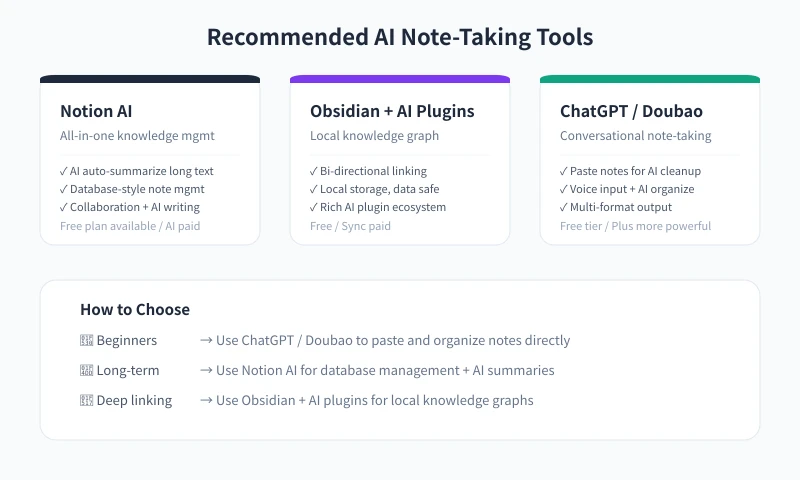
Based on different needs, here are recommended tool combinations:
Beginner: ChatGPT / Doubao (Free)
The simplest approach — paste notes directly to AI for organization. Perfect for those just starting out with small note volumes. Zero learning curve, but notes won't persist.
Intermediate: Notion AI (Free plan + AI paid)
Build a structured note library in Notion with AI summarization and classification. Great for long-term accumulation and team collaboration. Database-style management makes searching easy.
Advanced: Obsidian + AI Plugins (Free)
Local knowledge graph + AI assistance. Best for large note volumes and deep connections. Data stays local with full privacy. Steeper learning curve, but extremely efficient once mastered.
Build the Habit: 5 Minutes Daily, 30 Minutes Weekly
Note organization doesn't need big blocks of time — consistency is key:
- 5 minutes daily: Throw the day's new notes into your "inbox" — just collect, don't organize
- 30 minutes weekly: Use AI to categorize, tag, and connect the week's notes
- 1 hour monthly: Review the month's note library, have AI generate a monthly summary, update your long-term knowledge system
After one month, you'll find things faster. After three months, you'll write faster. After six months, you'll own a personal knowledge base.
FAQ
What if I have too many notes for AI to handle?
Most AI tools have input length limits. Process in batches: 10-20 notes at a time, classify first then merge. Or use Notion's AI feature, which can summarize individual pages regardless of total volume.
Where is the safest place to store organized notes?
Notion data is stored in the cloud with automatic backups; Obsidian data is stored locally — pair with cloud sync for safety. The safest approach is to export a Markdown backup regularly.
What if AI classification isn't accurate?
First-time classification may not be perfect, but you can adjust. Tell AI "this classification is wrong, XX should go under YY" — AI will learn your logic and improve over time.
Is there a fully automated solution?
Yes. Using Notion's API + AI, you can achieve: WeChat bookmark → auto-sync to Notion → AI auto-tagging and classification. But this requires technical skills. For most people, manual collection + AI organization is already highly efficient.
Related Articles
AI Speech to Text: Beginner's Guide to Convert Voice to Text in 3 Steps
Learn how to convert speech to text using AI tools. Perfect for meeting notes, content creation, and video subtitles. Three practical scenarios with step-by-step instructions.
TutorialsAI Local Deployment Guide: Run Large Models in 3 Steps for Free
Learn how to deploy AI models locally in just 3 steps. No coding experience needed, completely free, and your data stays private on your own computer.
TutorialsAI Shopping Decision Guide: From Price Comparison to Avoiding Pitfalls
Learn how to use AI for shopping decisions. From price comparison to avoiding pitfalls - make smarter purchasing choices with AI assistance.
Comments are not yet available, stay tuned