Prompt Engineering: A Beginner's Guide to Asking AI the Right Way
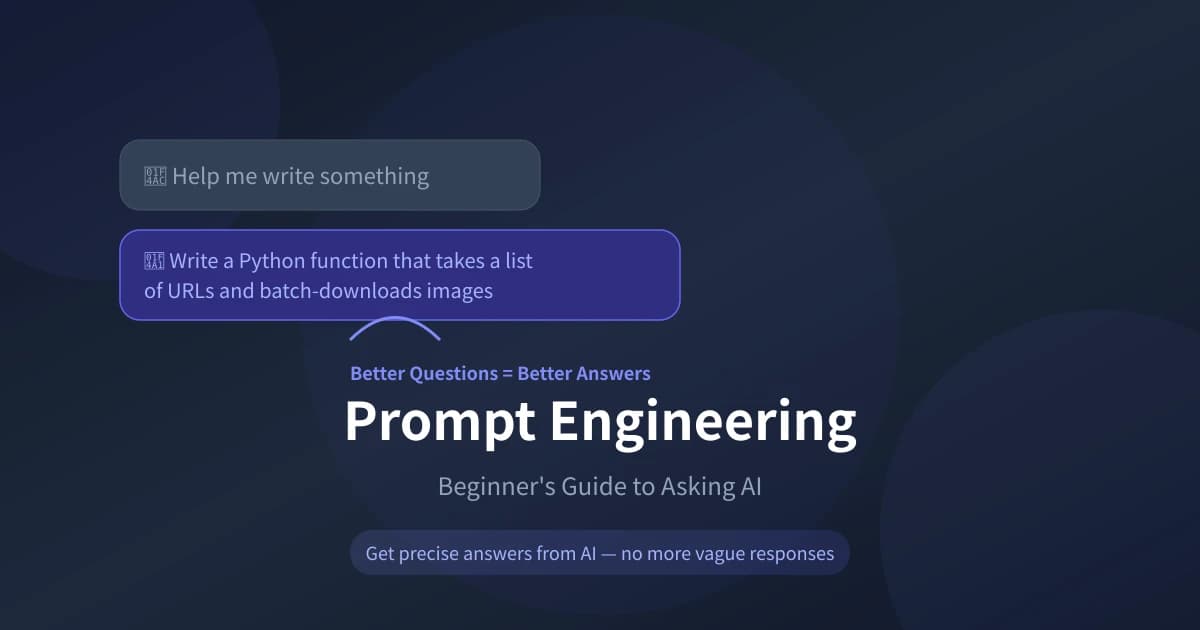
Same AI, but some people get vague responses while others get ready-to-use answers. The difference isn't the AI — it's how you ask. This guide teaches you simple methods to get satisfying answers from AI every single time.
Why Your Prompt Matters So Much
Think of AI as an incredibly capable new employee who needs clear instructions. Say "help me write something" and it doesn't know what you want. Say "write a Python function to batch-download images with resume support" and it delivers usable code immediately.
Core reasons:
- AI can't read minds: It can only work with the information you provide — less info means vaguer answers
- AI has many possible directions: The vaguer your question, the more AI defaults to a "safe but useless" generic response
- Good prompts save time: Ask clearly once, avoid the back-and-forth of clarifying questions
The Universal Prompt Formula
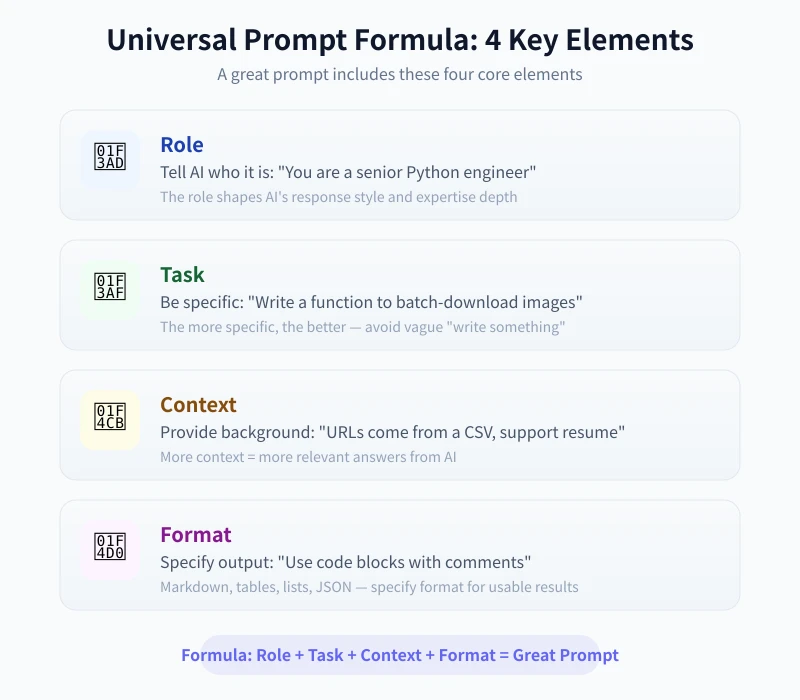
A good prompt contains four core elements. You don't need all of them, but the more you include, the more precise the answer:
Element 1: Role
Tell AI what persona it should adopt. This directly affects the expertise level and style of the response.
| What You Say | Effect |
|---|---|
| "You are a senior Python engineer" | More professional, uses best practices |
| "You are a science teacher for teens" | Simpler language, avoids jargon |
| "You are a product manager" | Focuses on user experience and business value |
Element 2: Task
Clearly tell AI what you want it to do. The more specific, the better.
- ❌ Vague: "Help me write a program"
- ✅ Specific: "Write a Python function that takes a URL list and multi-threaded downloads images to a local folder"
Element 3: Context
Provide background information to help AI understand your scenario.
- Who you are: "I'm a beginner just learning to code"
- Use case: "This script will run on a Linux server with cron"
- Constraints: "Can't use third-party libraries, standard library only"
Element 4: Format
Specify your desired output format.
- "Show in code blocks with Chinese comments"
- "Compare in a table with pros and cons"
- "List in steps, no more than 3 sentences each"
- "Use Markdown format with headings and subheadings"
Bad vs Good Prompts
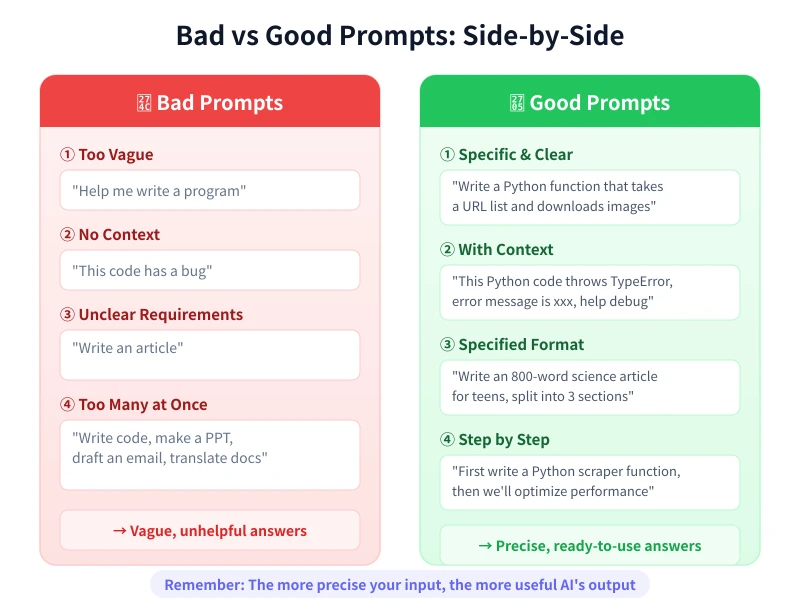
Here are some common comparisons — see which type you usually are:
Scenario 1: Writing Code
| ❌ Bad Prompt | ✅ Good Prompt |
|---|---|
| Help me write a scraper | Write a Python scraper using requests to extract product names and prices from an e-commerce site, save as CSV, handle anti-scraping measures |
Scenario 2: Debugging
| ❌ Bad Prompt | ✅ Good Prompt |
|---|---|
| This code has a bug | This Python code throws TypeError: xxx, expected behavior is yyy, please diagnose and fix |
Scenario 3: Writing
| ❌ Bad Prompt | ✅ Good Prompt |
|---|---|
| Write an article | Write an 800-word science article on "why the sky is blue" for middle schoolers, using everyday analogies, split into 3 sections |
Scenario 4: Learning
| ❌ Bad Prompt | ✅ Good Prompt |
|---|---|
| Tell me about machine learning | I'm new to programming and want to understand machine learning. Explain core concepts in plain language, give 2 real-life examples, and recommend 3 beginner resources |
Six Practical Prompting Techniques
Technique 1: Assign a Role
Add a role at the beginning of your prompt and AI's responses immediately become more professional and targeted.
Template: "You are a [role], please [task]"
Example: "You are a frontend engineer with 10 years of experience. Please review this React code, identify performance issues, and suggest optimizations."
Technique 2: Provide Examples (Few-shot)
If you have a specific style or format in mind, show AI an example directly.
Template: "Answer in this format: [example]. Now please [your task]"
Example:
"Write product descriptions in this format:
Product: xxx
One-line pitch: xxx
Key features: 1. xxx 2. xxx 3. xxx
Target audience: xxx
Now write a description for 'wireless noise-canceling headphones.'"
Technique 3: Break It Down
Don't dump complex tasks on AI all at once — breaking them into steps produces better results.
- Step 1: "Help me design a database schema for a blog"
- Step 2: "Based on this schema, write a SQL query for the latest 10 posts"
- Step 3: "Add pagination to this query"
Technique 4: Set Boundaries
Tell AI what to do and what not to do.
- "Only answer Python-related questions; for other languages, say it doesn't apply"
- "Don't fabricate uncertain information — if you don't know, say so"
- "Keep the answer under 200 words"
Technique 5: Ask AI to Ask You First
When you're not sure about your own requirements, let AI ask clarifying questions first.
Example: "I want to build a personal blog but I'm not sure what tech stack to use. Please ask me 3 key questions first, then recommend a solution based on my answers."
Technique 6: Have AI Self-Evaluate
Asking AI to evaluate its own answer often yields higher quality results.
Example: "Rate this code out of 10 in three dimensions: readability, performance, and security. Explain why points were deducted and how to improve."
Prompt Templates for Common Scenarios
Writing Code
"You are a [language] engineer. Write a [feature description]. Requirements: [technical constraints]. Output: code block + comments."
Debugging
"This [language] code throws: [error message]. Expected: [description]. Actual: [description]. Analyze the cause and provide a fix."
Writing Copy
"You are a senior copywriter. Write a [type] for [product/topic], target audience: [people], length: [word count], style: [style]."
Translation
"Translate the following Chinese to [language]. Requirements: maintain original tone, use industry-standard terminology, show original text alongside translation."
Learning
"I am [your level] and want to learn [topic]. Explain using [method], give [number] examples, and recommend further learning resources."
Data Analysis
"Here is [data description]. Analyze [goal], show key metrics in a table, and give [number] actionable recommendations."
Advanced Techniques
Chain of Thought
Having AI think step by step rather than jumping to answers significantly improves quality for complex problems.
Magic words: Add "please think step by step" or "Let's think step by step" at the end.
Example: "A pool has two pipes. The inlet fills 3 tons/hour, the outlet drains 1 ton/hour. Capacity is 10 tons. Starting from empty, how long to fill? Please think step by step."
Multi-Role Analysis
Have AI analyze the same problem from different perspectives.
Example: "Please evaluate this website design from three perspectives: frontend engineer, backend engineer, and product manager — list pros and cons for each."
Iterative Refinement
Not satisfied with the first answer? Don't start over — build on the previous response.
- "The answer above is too long, please condense to 200 words"
- "Option 2 looks good, please expand on it in detail"
- "The tone is too formal, switch to a casual conversational style"
Common Mistakes
| Mistake | Why It's Wrong | How to Fix |
|---|---|---|
| Asking too many things at once | AI may miss some questions | Split into multiple focused questions |
| No context provided | AI can only guess your scenario | Explain your role, scenario, constraints |
| Expecting a "perfect" answer | AI's first answer is rarely perfect | Treat AI as a collaborator, iterate |
| Not verifying AI's answers | AI may fabricate information | Always verify critical information |
| Only using one phrasing | A different phrasing may work much better | If unsatisfied, try a different angle |
Summary
Asking AI effectively is a skill you can learn quickly. Remember these core principles:
- Be specific: Say exactly what you want, not "help me write something"
- Provide context: Tell AI your role, scenario, and constraints
- Specify format: Tables, code blocks, step-by-step — you decide
- Break it down: Split complex tasks into smaller questions
- Iterate: Keep refining if the first answer isn't right — AI won't mind
You don't need to memorize formulas — it becomes natural with practice. Next time you chat with AI, try adding more context and specific requirements. You'll notice an immediate jump in answer quality.
Next step: Open the Ciyuano Playground and try the techniques you learned today. Start with a real problem you need to solve, write a prompt using the 4-element formula, and see if the answer quality improves.
Related Articles
AI Speech to Text: Beginner's Guide to Convert Voice to Text in 3 Steps
Learn how to convert speech to text using AI tools. Perfect for meeting notes, content creation, and video subtitles. Three practical scenarios with step-by-step instructions.
TutorialsAI Local Deployment Guide: Run Large Models in 3 Steps for Free
Learn how to deploy AI models locally in just 3 steps. No coding experience needed, completely free, and your data stays private on your own computer.
TutorialsAI Shopping Decision Guide: From Price Comparison to Avoiding Pitfalls
Learn how to use AI for shopping decisions. From price comparison to avoiding pitfalls - make smarter purchasing choices with AI assistance.
Comments are not yet available, stay tuned